TermLink
A session manager for Claude Code

Your Claude Code sessions.
From any browser.

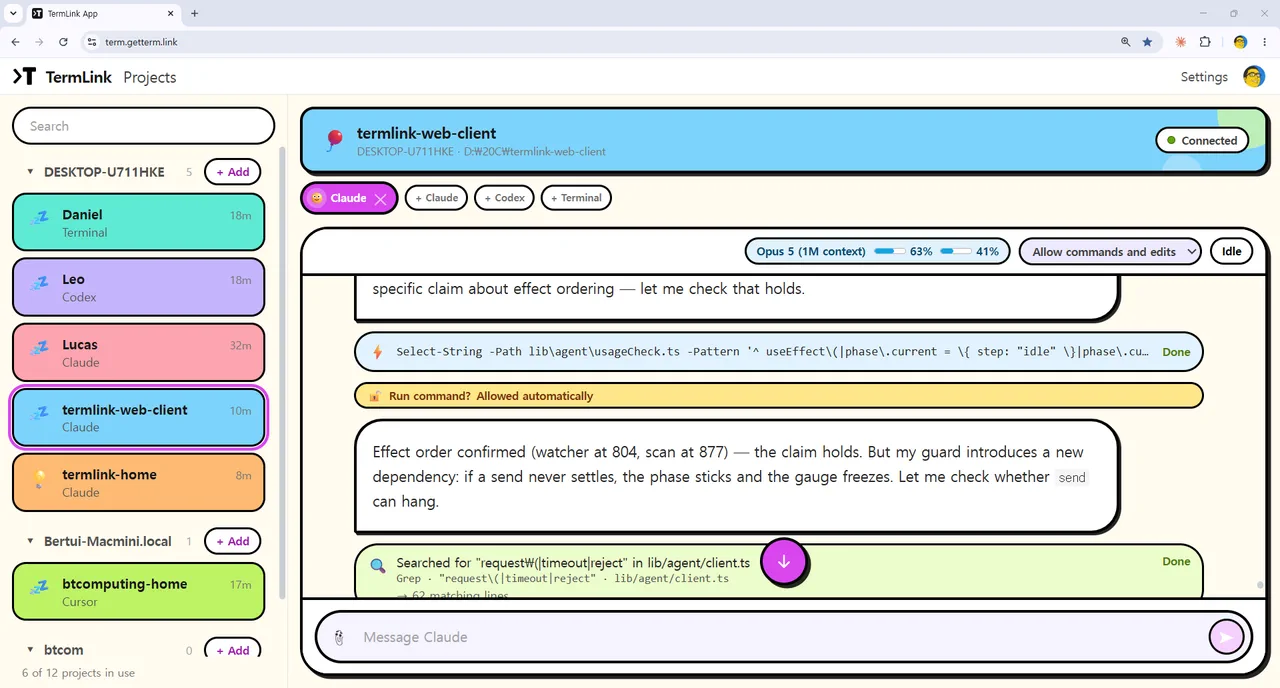
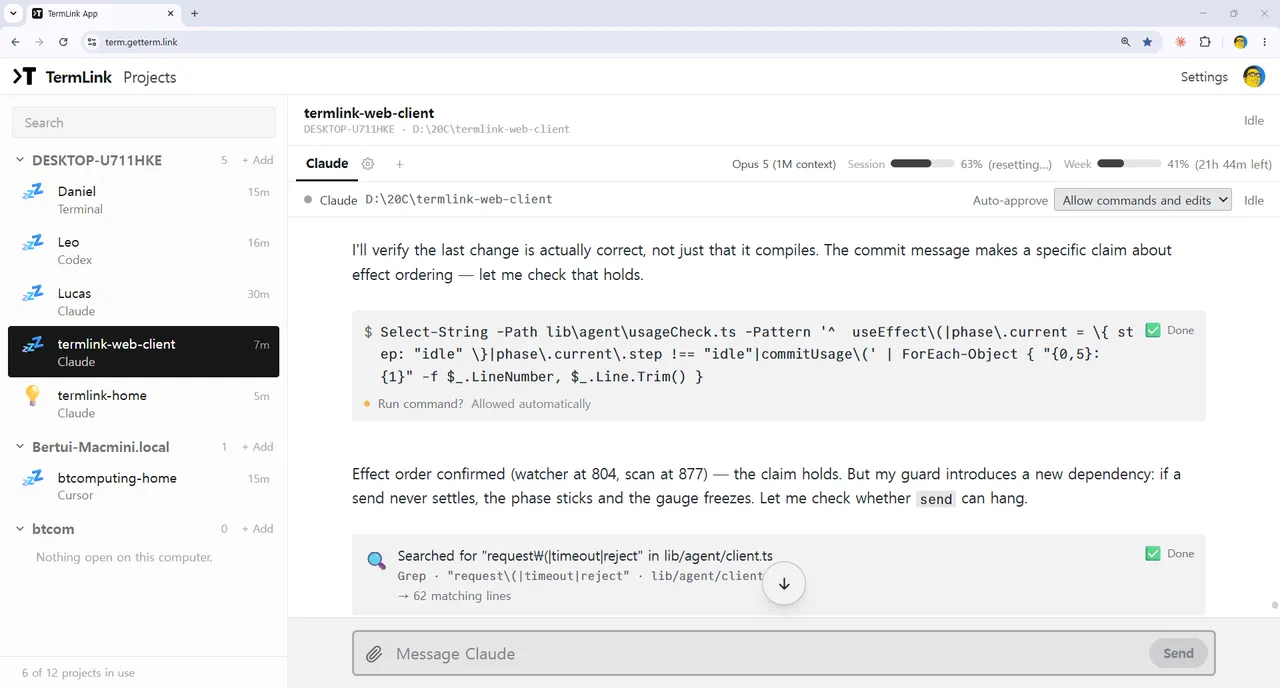
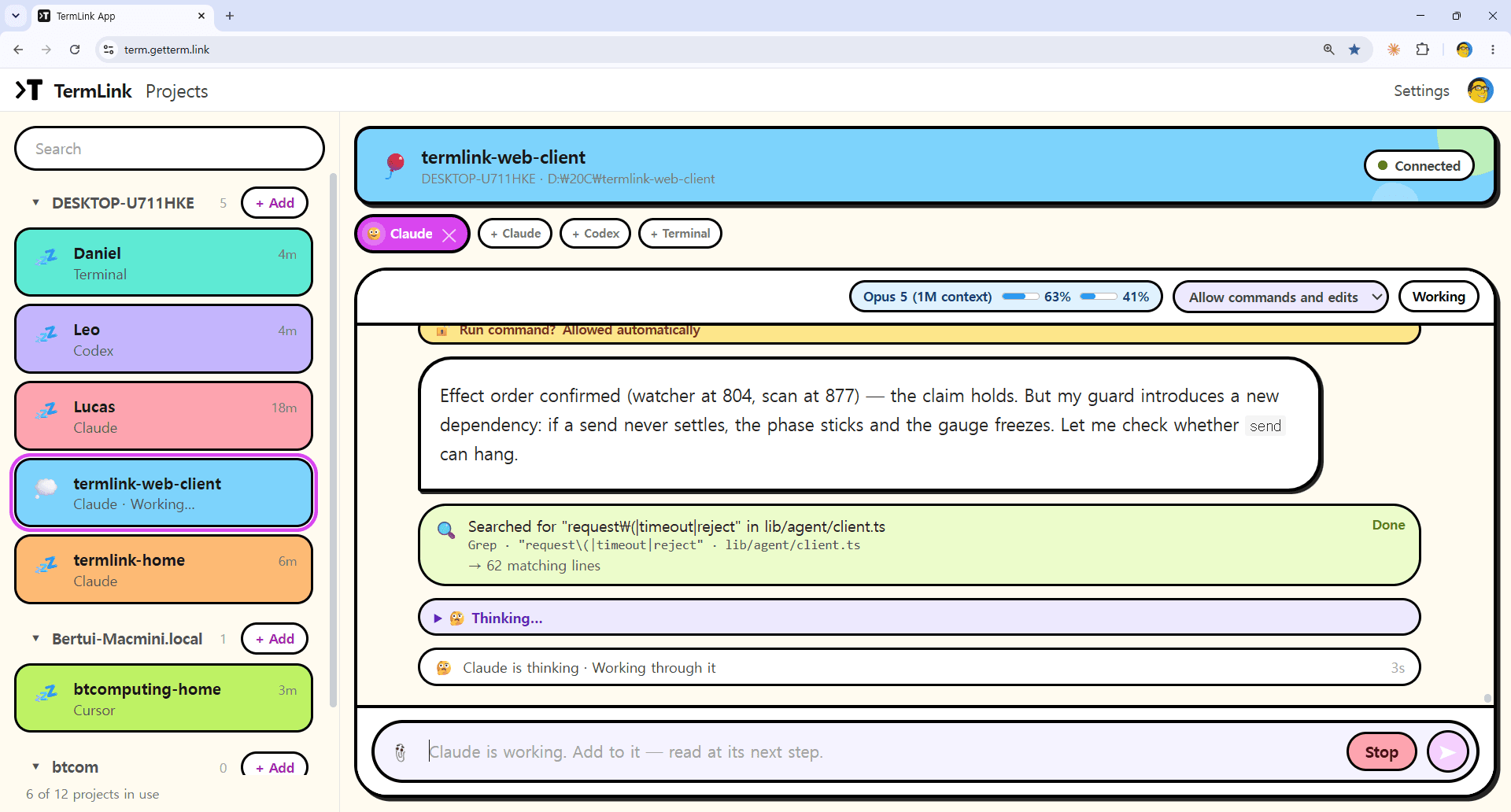
Claude Code runs on your own machine. Watch it, prompt it again, and answer its questions from a browser or your phone.

  • Auto-Yes for permission prompts
  • Every machine in one list
  • No VPN, no open ports

New here? Set up your first session in a few steps.

macbookclaude
Auto-Yes on
> refactor the auth module and run the tests

● Editing src/auth/session.ts
● Bash(npm test)

  Do you want to run this command?
  ❯ 1. Yes
    2. No, tell Claude what to do differently

  [Auto-Yes] confirmed — tests running…

Built for the way Claude Code actually runs

Long jobs, permission prompts, and a TUI that has to survive a reconnect.

Auto-Yes

Stop Claude Code asking for permission every time

Toggle Auto-Yes and TermLink confirms Claude’s permission prompts for you, so a long run does not sit blocked while you are away.

Sessions survive

Keep Claude Code running when you close the browser

The session lives on your machine, not in the browser. Reconnect and the terminal is repainted exactly as Claude left it, TUI and all.

Many machines

Manage Claude Code sessions across multiple machines

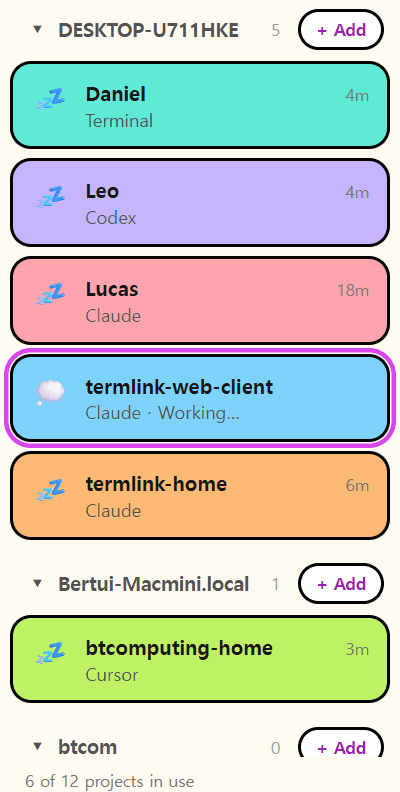
Laptop, workstation, a box that only runs agents — one list, each card showing that session’s latest Claude message.

Phone-friendly

Use Claude Code from your phone

A control-key row makes the terminal usable on touch. Drop a screenshot in and TermLink uploads it, then types the path for your next prompt.

Works with Codex CLI and Cursor Agent too

What you connect to is the real terminal on your machine, so an agent that runs in a terminal runs here. TermLink reads each one’s own approval prompt, so Auto-Yes answers Codex and Cursor the way it answers Claude Code. Claude Code is the one we support most closely.

No remote desktop, no VPN, no open ports. TermLink mirrors just the terminal your agent lives in, and your machine only ever dials out.

More on how TermLink works as a session manager for AI coding agents, or see it in use on the blog.

Open your Claude Code session in a browser

You left something running an hour ago. Each machine is one line saying what its agent last said, and one tap puts you in that session.

TermLink

Your sessions

you@gmail.com

  • macbook

    ● Running the test suite…

    Open
  • workstation

    ● Do you want to run this command?

    Open

Each line is Claude's latest message — so you can see which agent is working and which one is waiting on you.

workstation
drop a screenshot to upload →
> fix the failing test in session.spec.ts

● Reading src/auth/session.spec.ts
● Bash(npx vitest run)

... live output streams here ...
Open app →

Real-time input and output. Nothing to install.

How TermLink works — without SSH, VPN, or open ports

Your machine keeps the session. The browser is just a window onto it.

1

Sign in once

termlink login

On the machine where your code lives. Sign in with Google — that is the last credential you deal with.

2

Register the machine

termlink host

It dials out to the relay under your account. No inbound port, no SSH, nothing to expose.

3

Open it from anywhere

Open TermLink

Sign in in any browser and pick that machine from your list. You are looking at its real terminal.

4

Run Claude

claude

Start the job and flip Auto-Yes on. The run keeps moving while you step away.

One sign-in per machine. No addresses, keys, or PINs to remember.

More on how a remote terminal works without SSH or a VPN.

Pricing

Free

Start for free

$0
  • 2 sessions active at once, both streaming live
  • No session time limit — run for as long as you like
  • Watch from as many browsers and phones as you like
  • Auto-Yes for permission prompts
  • A third session has to wait until one of the two ends
Get started
Recommended

Pro

For several agents at once

$9/month
  • Everything in Free
  • 8 sessions active at once, all streaming live
  • Priority support

Subscription questions: contact@getterm.link

Frequently asked questions

Can I run Claude Code on a remote server or another machine?

Yes. Run `termlink host` on any machine — a workstation, a cloud box, a home server — and it registers under your Google account by dialing out to the TermLink relay. You then open TermLink in a browser and run `claude` there. The machine never accepts inbound connections, so you do not open an SSH port or set up a VPN.

Does Claude Code keep running when I close the browser?

Yes. The session lives in a terminal on your own machine, not in the browser tab, so closing the tab does not interrupt the agent. Reconnect and TermLink repaints the screen exactly as Claude left it. The one requirement is that the `termlink host` process keeps running — TermLink is not a background daemon like tmux.

I left an agent running. How do I check what it did?

Open TermLink from wherever you are. Each machine you registered is one line showing that session’s most recent message from the agent, so you can tell at a glance whether it finished, is still working, or stopped on a question. Tap the one you care about and you are in its terminal, at the point it actually reached.

Can I pick up the same session on another device?

Yes. The session belongs to the machine it runs on, not to the terminal or the app that opened it. Start it on a laptop, close the lid, and open that same session on a phone. You get the screen as the agent left it rather than a fresh one. You can also have it open in more than one place at once, because the plan cap counts sessions rather than viewers.

How do I stop Claude Code from asking permission every time?

Turn on Auto-Yes. TermLink watches the session for Claude’s numbered permission menu — the one with `1. Yes` and a `No` option — and confirms the highlighted choice, so a long run does not sit blocked while you are away. It is a per-session toggle and it is off by default.

Is Auto-Yes safe to leave on?

Treat it as a convenience, not a safety feature. Auto-Yes confirms whichever option is highlighted on a Yes/No prompt, which is normally Yes — it does not read the command and decide whether it is a good idea. Free-form questions are left alone. Leave it on for a run you trust; keep it off when Claude is doing something you would not want auto-confirmed.

Can I use Claude Code from my phone?

Yes. TermLink runs in a mobile browser and adds a control-key row (Esc, Tab, Ctrl+C, arrow keys) so a terminal UI is usable on touch. You can read what the agent is doing, answer its prompts, and drop a screenshot onto the terminal — TermLink uploads it to the host and types the saved path in for your next prompt.

How is this different from SSH, tmux, or a remote desktop?

Remote desktop tools stream an entire screen: heavy, clumsy on a phone, and they need the far machine unlocked. SSH means an exposed port and keys to manage. TermLink hosts dial out and mirror only the terminal your agent lives in. Unlike tmux it is not a background daemon, but it adds what tmux does not have: a browser and phone client, a correct TUI repaint across reconnects, several machines in one list, and Auto-Yes.

Does TermLink work with Codex CLI and Cursor Agent?

Yes. What you connect to is the real terminal on your machine, so an agent that runs in a terminal runs here. TermLink also recognises Codex CLI and Cursor Agent specifically — it reads each one’s own approval prompt, so Auto-Yes answers them the way it answers Claude Code’s numbered menu. Claude Code is the agent we support most closely and test the most; Codex and Cursor are both in daily use here. There is more on this in the session manager for AI coding agents.

How is TermLink different from Claude Code Remote Control?

Claude Code Remote Control lets you reach a Claude Code session on your machine from another device. TermLink is built around a different job: keeping several machines in one list, in a full terminal, from a browser or phone. You register each machine once with `termlink host`, and every session you open is the real terminal — so the same window works for whatever else you run in it, not only for the agent. If you work on one machine and want the shortest path to it, Remote Control is a fine answer. If your work is spread across a laptop, a workstation, and a box that only runs agents, that is the case TermLink was built for. There is a fuller comparison of TermLink vs Claude Code Remote Control on its own page.

Does TermLink work on Windows, macOS, and Linux?

Yes. The host runs on macOS, Linux, and Windows, and TermLink runs in any modern browser, including mobile. On Windows the host uses cmd.exe by default because PowerShell’s PSReadLine swallows the Esc key that terminal UIs like Claude Code rely on.

Will I get a notification when Claude finishes or needs approval?

Not yet — TermLink has no push, browser, or email notifications today. What it gives you instead is a glanceable list: each machine card shows that session’s latest Claude message, so you can see which agent is still working and which one is waiting on you.

Is TermLink free?

Yes, there is a Free plan: Google sign-in, connecting to your own machines, real-time terminal access, and Auto-Yes. The plans differ in exactly one thing — how many sessions you can keep active at the same time. Free gives you two, Pro gives you eight, and in both cases every active session streams live with no time limit and no reconnect wait. The cap counts sessions, not viewers: you can watch them from as many browsers and phones as you like. Pro is $9 per month and adds priority support.

Claude Code remote access · manage multiple Claude Code sessions · TermLink vs Claude Code Remote Control · a session manager for AI coding agents · a remote terminal without SSH

Longer walkthroughs live on the blog.

Let the agent run. Watch it from anywhere.

Sign in with Google, register the machine your code lives on, and open its Claude Code session from any browser or phone. Traffic is encrypted over WSS, and your machines stay private to your account.

New here? Set up your first session in a few steps.

View on GitHub →

No PINs, no keys, no open ports. Just your Google account.