
How TermLink works: a remote terminal without SSH or VPN
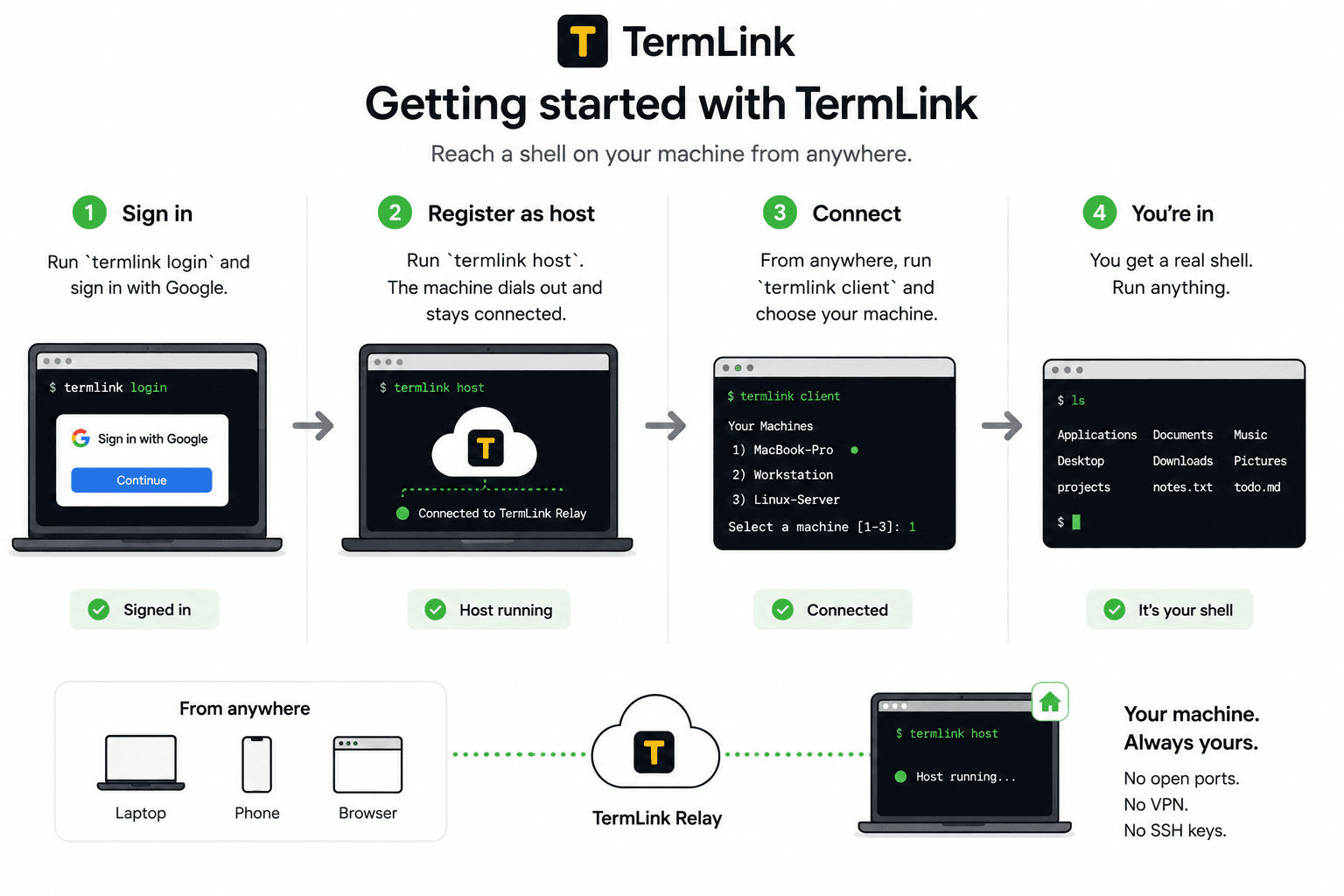
Your machine dials out. Nothing listens for inbound connections, so there is no port to open, no key to distribute, and no VPN to dial into.
Install the host
npm install -g @termlink/cli
One npm package, on the machine your code lives on. Requires Node.js 22 or later; nothing else to compile or download separately.
Sign in once, on the machine
termlink login
You sign in with Google — that is the last credential you deal with. There is no key to generate and nothing to copy to a second machine.
Move to the folder you want
cd ~/work
Do this before the next command, not after. A session can only open inside the folder you are standing in when you run it, so this line decides what that machine exposes. Which folder underneath it a session opens in is picked later, from the browser.
Run the host
termlink start
It dials out to the TermLink relay and registers under your account, with that folder as the working directory. It opens an outbound connection; it never listens for one. Nothing about your router or firewall changes.
Open it from anywhere
Open TermLink
Sign in on any browser — a laptop you have never used, a phone — pick that machine, and start a terminal, Claude, or Codex session. An agent session lets you choose how much it approves on its own; a terminal session has an Auto-Yes switch. Nothing to install on the device you connect from.
One sign-in per machine. No addresses, keys, or PINs to remember.
Do I need to open a port or set up a VPN?
No. The connection is made from your machine to the relay, not the other way around. Inbound connections are what require an open port, a forwarded router rule, or a VPN — and TermLink never accepts one.
This is also why it works on a laptop that moves between networks. There is no address for anyone to reach; the machine re-establishes its own outbound connection wherever it is.
How is this different from SSH?
SSH means a reachable machine: an exposed port, a key to distribute and rotate, and a client on whatever device you are holding. TermLink replaces all three with an outbound connection and a browser.
The trade is real and worth stating plainly. SSH is a general protocol you control end to end; TermLink puts a relay we operate in the middle. What you get for it is a terminal you can open on a phone without installing anything, several machines in one list, and a TUI that survives a reconnect.
TermLink vs SSH, tmux, and remote desktop goes through what each one actually costs you.
Is this a remote desktop?
No. A remote desktop streams a whole screen, which is heavy, clumsy on a phone, and needs the far machine unlocked. TermLink mirrors one thing: the terminal your agent is running in.
That is why it is usable on a phone at all. Text is small enough to send that a session stays responsive on a bad connection.
Do I need to install anything on the device I connect from?
No. The client is a browser. Sign in on any machine or phone and your registered machines are there — the install only happens on the machines you want to reach.
What happens when the network drops?
The session is not in your browser, so losing the tab does not lose the work. When you reconnect, TermLink repaints the terminal exactly as the agent left it, TUI and all.
The one requirement is that the host process keeps running on the machine. TermLink is not a background daemon like tmux — close the terminal the host runs in and the machine goes offline until you start it again.
Which machines can I register?
macOS, Linux, and Windows. A laptop, a workstation, a cloud box, a home server — anything you can run one command on.
On Windows the host uses cmd.exe by default because PowerShell's PSReadLine swallows the Esc key that terminal UIs depend on — why that choice, and what it means.
Is the connection encrypted?
Yes — traffic runs over WSS, and your machines stay private to your Google account. Nobody reaches a machine of yours without signing in as you.
The relay terminates that TLS to route the stream, so it is not end-to-end encrypted, and nothing it routes is written to disk. What the relay can and cannot see goes through it in full.
Checking on an agent without opening a whole desktop
I was opening Chrome Remote Desktop to check on Claude Code. Not to work on the machine. Just to see whether the run had finished, or whether it had stopped to ask me something.
Wait for the desktop, find the terminal window, read a few lines, close it again. I did that for a while before it struck me how silly it was, so I wrote something that connects to just the terminal.
That is what TermLink does now. Every Claude Code and Codex session across your machines lands in one list, each line showing what its agent last said, so you open the one that is waiting on you and leave the rest alone. Your machine dials out, so there is no port to open and no VPN to sit in front of.
If you are weighing this against what you use today, there is a longer look at TermLink vs SSH, tmux, and remote desktop.
Register the machine your code lives on, and open its terminal from anywhere. Or read more about managing several coding agents at once.