
How to use Claude Code from your phone
A control-key row, a chat-style message box, and the session still running on your own machine. No app to install on the phone.
Your agent is mid-job on the machine at your desk. You are in a queue, on a train, on the sofa. The question is not whether you could SSH in from a phone — you could, and it would be miserable. The question is whether checking on an agent is a thing you can do from a phone at all.
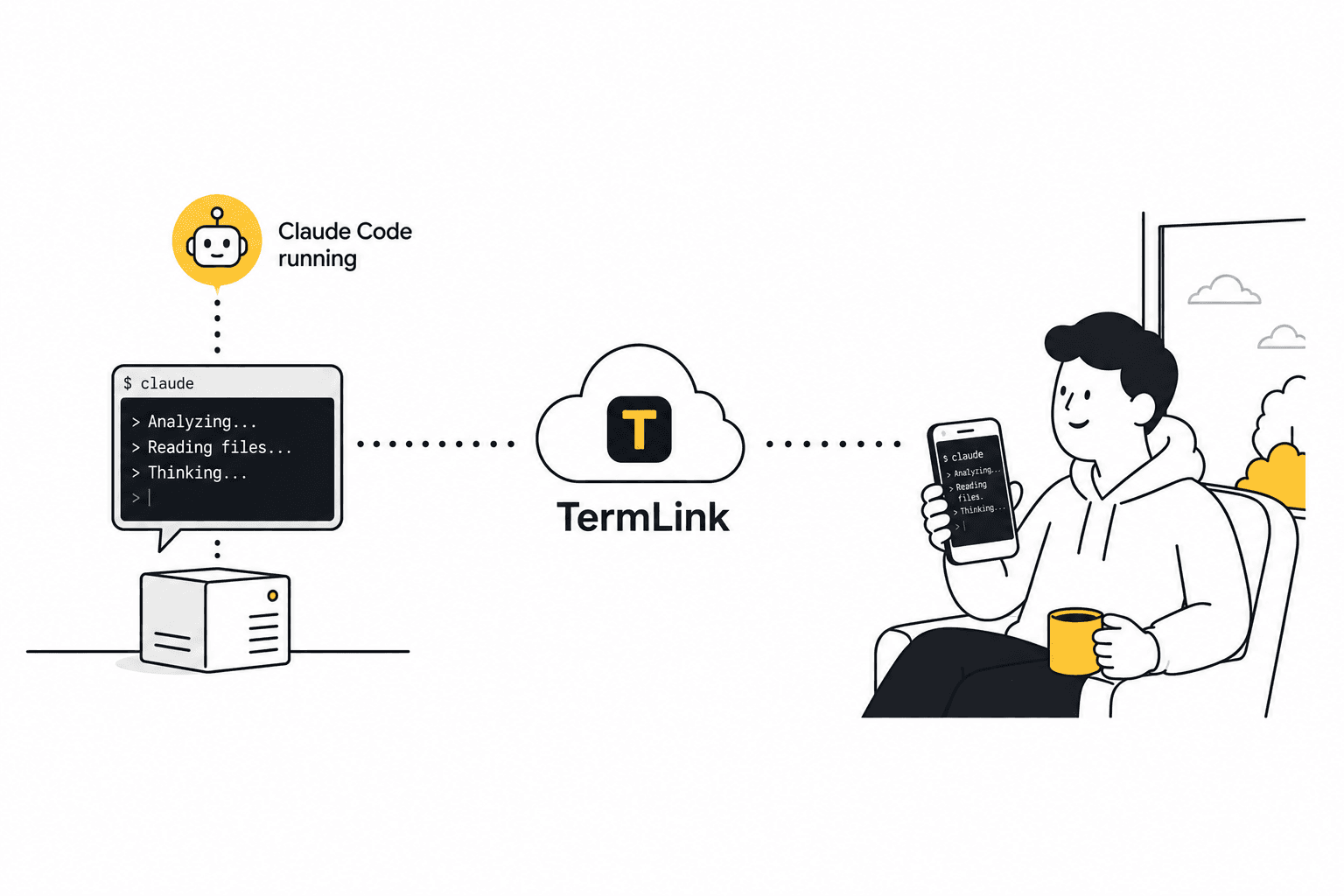
With TermLink it is, because of what a Claude Code session actually looks like from the outside: mostly reading, and occasionally typing one more instruction. The phone is one way in; Claude Code remote access covers the rest.
Open a browser tab, not an app
There is nothing to install. Open the web client in your phone's browser, sign in with Google, and every machine you have registered is waiting in a list — each card showing that session's most recent Claude message.
Tap one and you are in its live terminal. The real one, on your own machine, still running.
Reading is the main thing
Most of what you do on a phone is read. Claude Code draws a full-screen terminal UI, and TermLink relays the terminal itself rather than streaming a picture of a desktop — so the output renders as text, at a size your phone can actually show, and it survives a bad connection instead of turning into a smear of compressed pixels.
When you reconnect, the screen is repainted exactly as the agent left it. You are never looking at a stale frame.
Typing, when you have to
Two things make the typing part survivable.
A control-key row. Esc, Tab, Ctrl+C, arrow keys — the keys a terminal UI needs and a phone keyboard does not have. They sit above the keyboard as buttons. That is the difference between "I can answer Claude's menu prompt" and "I need a laptop."
A message box. The mobile compose bar is a chat input: you type your next instruction and send it. It reads like messaging a teammate, but what lands on the other end is a real shell, receiving real keystrokes.
That framing is the honest one for what you are doing on a phone. You are not writing code on a 6-inch screen. You are reading what your agent did and telling it what to do next.
Show it, don't describe it
Paste an image from your clipboard or drop a file straight onto the terminal — a screenshot of a broken layout, a stack trace, a design mock. TermLink uploads it to the host machine and types the saved path into the prompt for you, so your next message can just point Claude at the file:
> the header is broken on mobile, see <the path TermLink just typed in>
Claude reads the file off its own disk, where it is already running. Nothing about that flow requires you to be at a computer. Files up to 25 MB.
More on that in sending screenshots to Claude Code.
Loosen the approvals before you leave
The one thing that ruins remote checking-in is arriving to find the agent blocked on a permission prompt it hit ninety minutes ago. Move the session's approval setting off Ask for everything — to Allow file edits, or Allow commands and edits — and TermLink answers those for you, so the run is still moving when you look. You can change it mid-run from the phone. When to leave it strict covers the trade.
What it is not
TermLink can raise a desktop notification when a session finishes or starts waiting, once you turn that on in Settings. What it can't do is buzz a locked phone: these are browser notifications, so they only fire while a tab is open, and locking the phone for more than a few seconds stops them the same way it stops any other website. On a phone, checking in is still the habit that works, and the session list is built for it — one line per machine showing the agent's latest message.
Frequently asked questions
Can I use Claude Code on my phone?
Yes, if the agent is running on a machine you own and something relays that terminal to you. Claude Code itself is a program in a shell on a computer — the phone is a window onto it, not a place it runs.
Is there an iPhone or Android app?
No app. It is a browser tab, which means nothing to install and nothing to keep updated on the phone. Sign in and your machines are there.
Can I actually type in a terminal on a phone?
Enough of it. A control-key row gives you Esc, Tab, Ctrl+C, and arrows, and a chat-style message box handles the "tell it what to do next" part. You are not writing code on a 6-inch screen; you are reading what the agent did and answering it.
Can I send a screenshot from my phone?
Yes — that is the case the feature exists for. Take the screenshot, paste it onto the terminal, and TermLink uploads it to the host and types the saved path in. See how to paste an image or screenshot into Claude Code.
Will it notify me when the agent needs me?
It can, if you switch notifications on in Settings: a desktop notification fires when a session finishes a run or starts waiting for input. There's no push, though, so on a locked phone it won't reach you. The session list covers that case — one line per machine showing the agent's latest message.
Does the agent keep running when I lock my phone?
Yes. The session lives on your own machine, not in the browser tab. Lock the phone, lose signal, close the tab — the agent keeps working, and the screen is repainted when you come back.
Works in any modern mobile browser. Hosts run on macOS, Linux, and Windows — see getting started or Claude Code remote access.
TermLink keeps your agent running on your own machine and gives you the terminal from anywhere. Register a machine and open its session from any browser. Free plan, no card.