
TermLink vs Omni by xpander
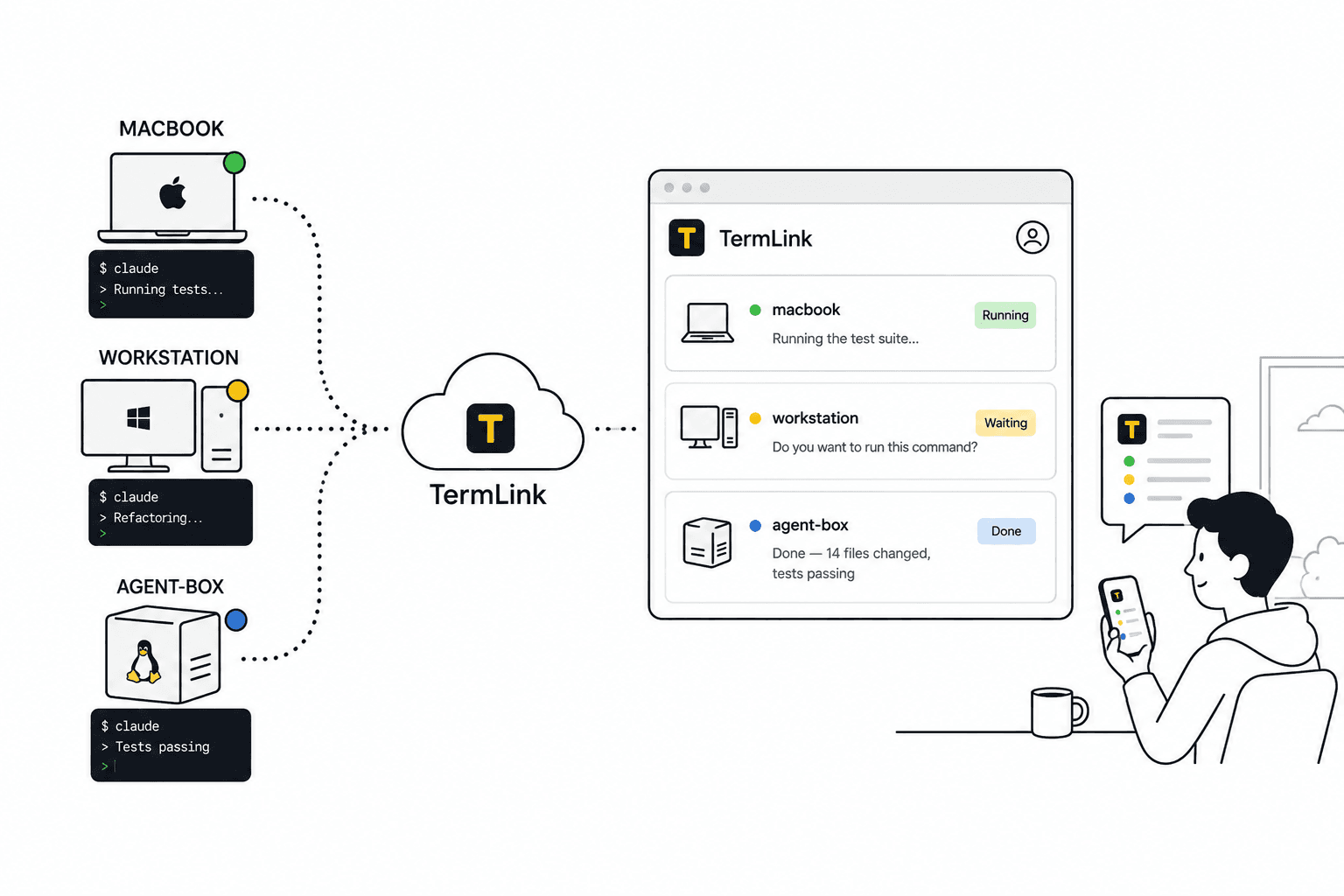
Both start from the same complaint: an agent that lives on your laptop stops when the laptop does, and nobody else can see it working. Omni answers that by moving the agent into one governed environment the whole company can use. TermLink answers it by leaving the agent where it is and giving you a way in.
Last checked: September 3, 2026. What follows about Omni comes from their own public description. Both products are moving quickly, so check xpander.ai for what theirs does today rather than trusting a comparison page, including this one.
What Omni by xpander does
It takes agents off individual laptops and runs them somewhere the company governs — their infrastructure or yours, including a VPC or on-prem. Their own framing is that you describe what you want in plain language, or bring the skills you already built in Claude or Codex, and you get back a long-running agent the whole company can use.
That comes with the things a managed environment is good at. The agent keeps running whether or not any of your machines are on. Your teammates can run it. It can be wired into Slack and into a repository, every action is logged against a named person, and it does not depend on the state of anyone's laptop.
Worth being clear about who that is aimed at: their own page speaks to CIOs and IT leaders, and the problem it solves is agents that are invisible to a company rather than agents that are hard to reach. If nobody is asking you for an audit trail, most of what you would be adopting is not for you.
What TermLink does
It leaves the agent in a terminal on a machine you own and relays that terminal to you. You register the machine once, and from then on it shows up in a list you can open from a browser or a phone.
So the agent is working inside your actual environment. Your checkout, including whatever you have not committed. Your toolchain, your versions, your local services, the credentials already sitting on that machine. Nothing has to be reproduced anywhere.
And it is a real terminal rather than an agent-shaped surface, so you can run the test suite, read a log, or check out a branch in the same window. See how a remote terminal works without SSH or a VPN.
How to tell which one you want
Ask what the agent needs in order to do the job. If a clean checkout of the repository is enough, cloud hosting is a reasonable place to put it. If the work depends on how your machine is set up, moving it is the wrong direction.
Some cases where the machine matters:
- uncommitted work you want the agent to look at
- a local database, emulator, or service the code talks to
- a toolchain that took a while to get right
- credentials you would rather not put anywhere new
- a Windows machine you actually build on
And some where it does not: a scheduled job on a clean repo, work you want a whole team watching, or anything that has to keep running when every machine you own is off.
Can I use both?
Yes, and the split is not strange. Scheduled repo-level work in the cloud, and the messy in-progress work on the machine it is already messy on.
They are not competing for the same slot as much as the framing suggests. One is somewhere to put an agent, the other is a way to reach one.
What does TermLink cost?
There is a free plan with four sessions running at the same time. Pro is $9.99 a month and gives you twelve, Max is $19.99 for forty. The cap counts sessions, not machines and not people watching.
Details on pricing.
Why there is no feature table here
A grid of ticks and crosses for someone else's product goes stale within weeks, and it usually goes stale in whichever direction flatters the person who wrote it. We can tell you accurately what TermLink does. For Omni, read theirs.
If the machine matters, keep the agent on it. Register it once and open the session from anywhere. Free plan, no card.
Also worth reading: TermLink vs Claude Code Remote Control · Claude Code remote access